What is Remote Access?

A complete guide to remote access technology, benefits, and security


Connections matter for every business and individual, including digital connections. At a time when remote and hybrid work predominates, and when people can work, shop, stream entertainment, and do almost everything else from anywhere from any device, remote access has never been more important for running a business. This guide explains everything you need to know about how remote access enables digital and human connection.


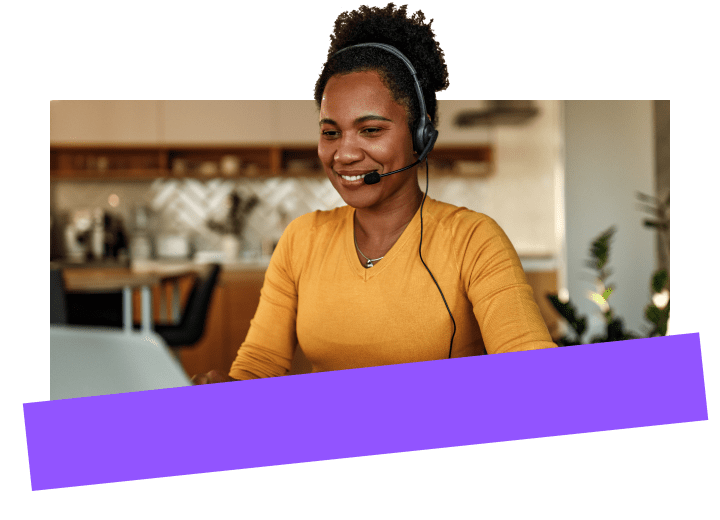
Woman using GoTo Resolve’s remote access and management software on laptop.

What is remote access, exactly?

Remote access (sometimes referred to as “remote desktop” or "remote desktop connection") is simply the ability to access a device from another device, at any time, and from anywhere. With remote access, a user can control all the files and applications on another device as if the user was actually sitting in front of it. Remote access can be used across devices to enable remote PC access, remote Mac access, remote iPhone access, and more.

Two common examples

  • Using a computer to connect to an end user’s (employee or customer) device in order to provide remote IT management and support.
  • Using a PC in your home office to connect to your office computer or company network. You wouldn't need to travel to your company’s office in order to access company resources.
Why is remote access important?

Computing doesn’t just happen at work or at home anymore but can happen from anywhere on different devices with different operating systems. Remote access software makes computing more flexible in terms of where and when work and other digitally enabled activities can get done. For businesses that want to work flexibly (i.e., all businesses), it’s simply foundational to have software in place to enable remote access technologies such as:

Two use cases for remote access software

1. IT support

If your business has remote customers and/or employees, you’ll need to support them from where they are and on any device. For example, what happens when an online customer using a home desktop wants to buy from you, but confronts technical difficulties? Or an employee working from home can’t access a company system or customer data she needs to do her work? Lost sales and productivity costs money.


In either scenario, remotely accessing the customer or employee’s computer gives your IT support team the ability to fix an issue and avoid financial losses to your business. Remote access tools thus enable business continuity, while driving both customer and employee experience.

2. Personal use

Employees need remote access too. Whether they’re working from home under a remote or hybrid work arrangement or traveling for business, employees must have the ability to access work systems to get work done remotely. Without remote desktop access, they’d only be able to work by showing up in the physical office, which may have been okay in 1998 but isn’t any longer in today’s more flexible, mobile business climate.
How does remote access work?

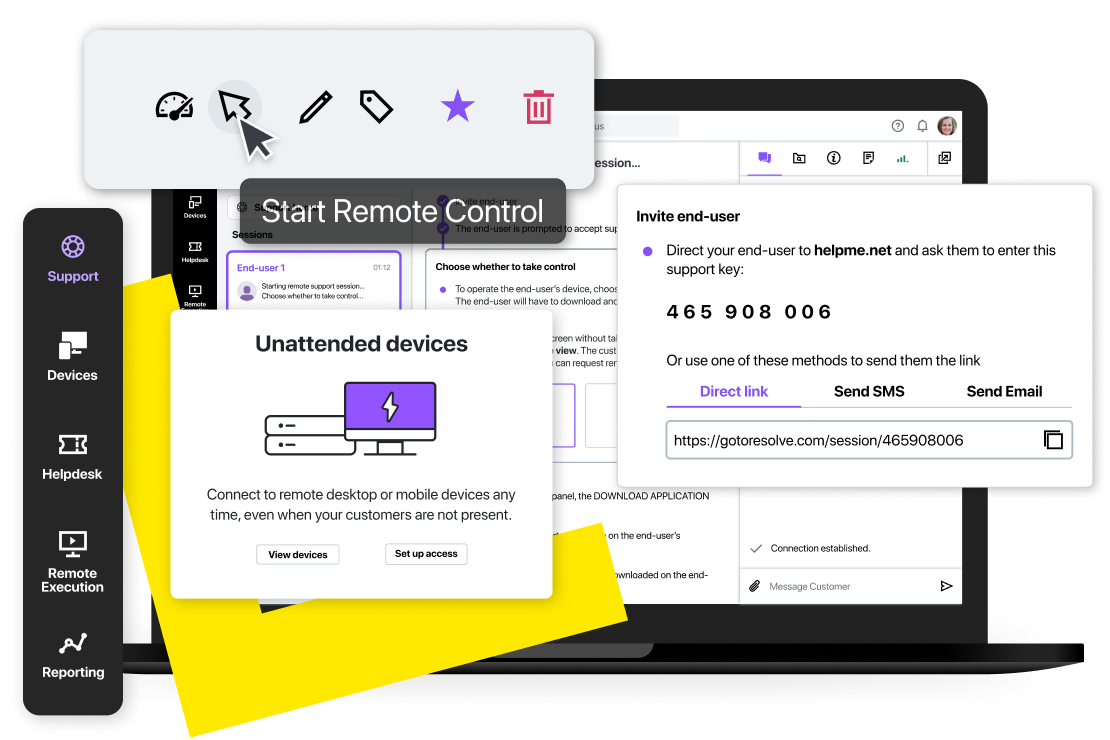
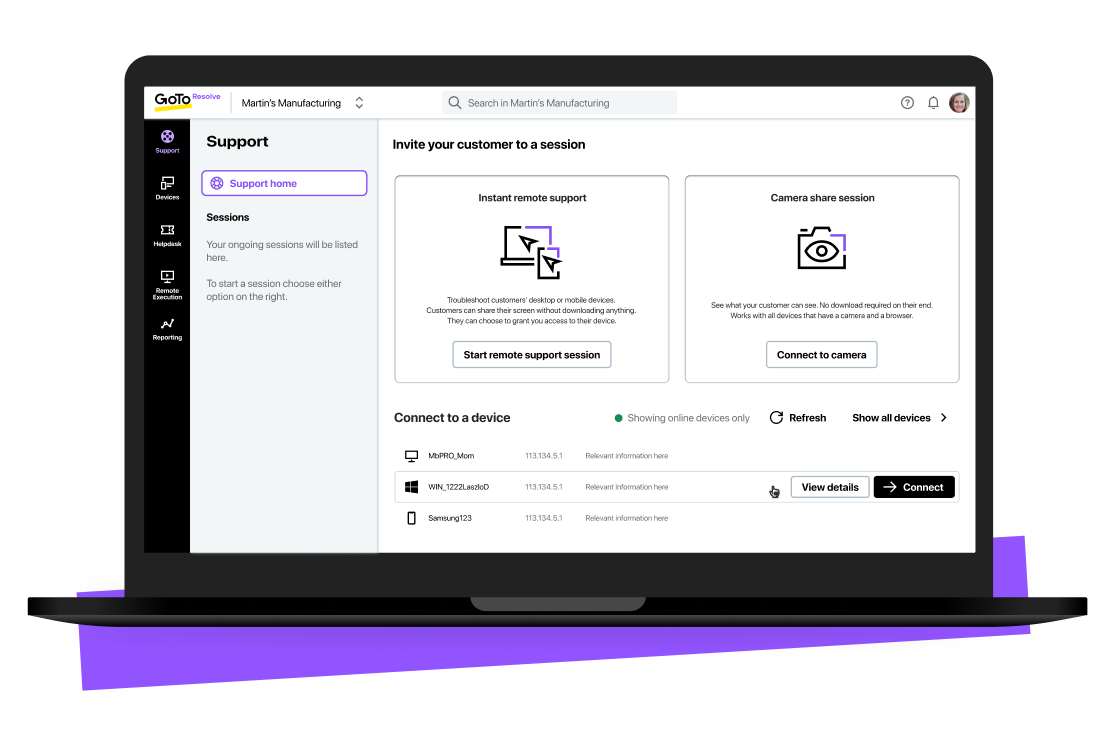
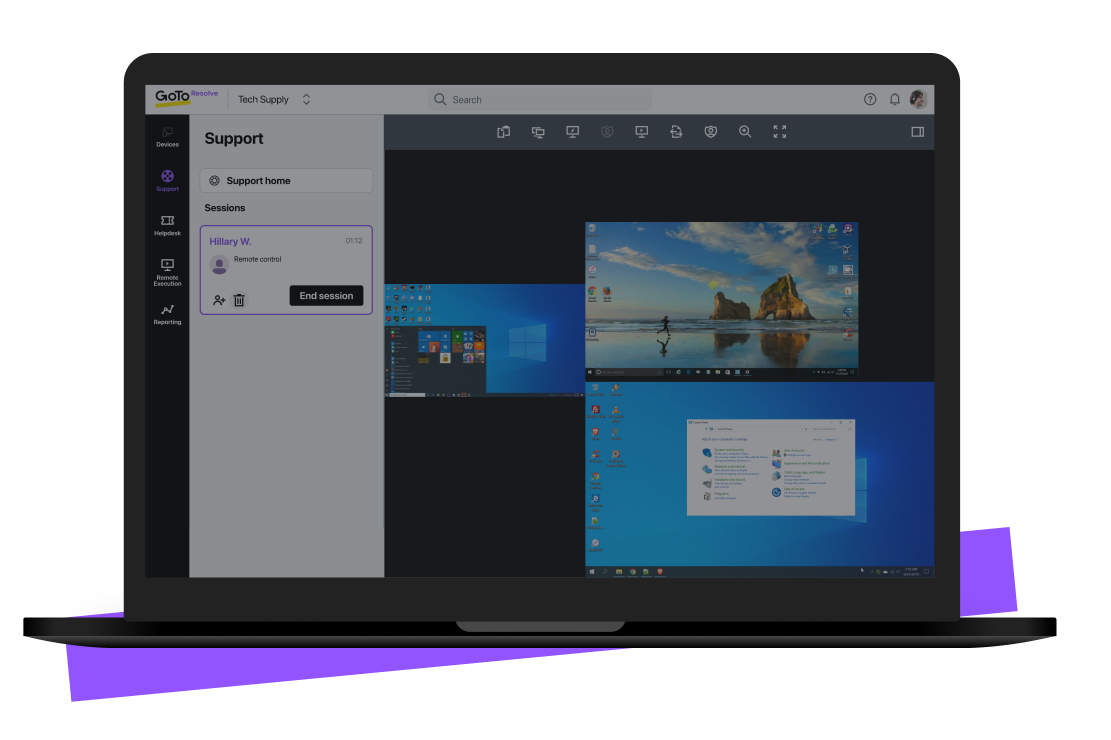
View of GoTo Resolve’s remote access console during an active session.

How does remote access work in real-world use cases?

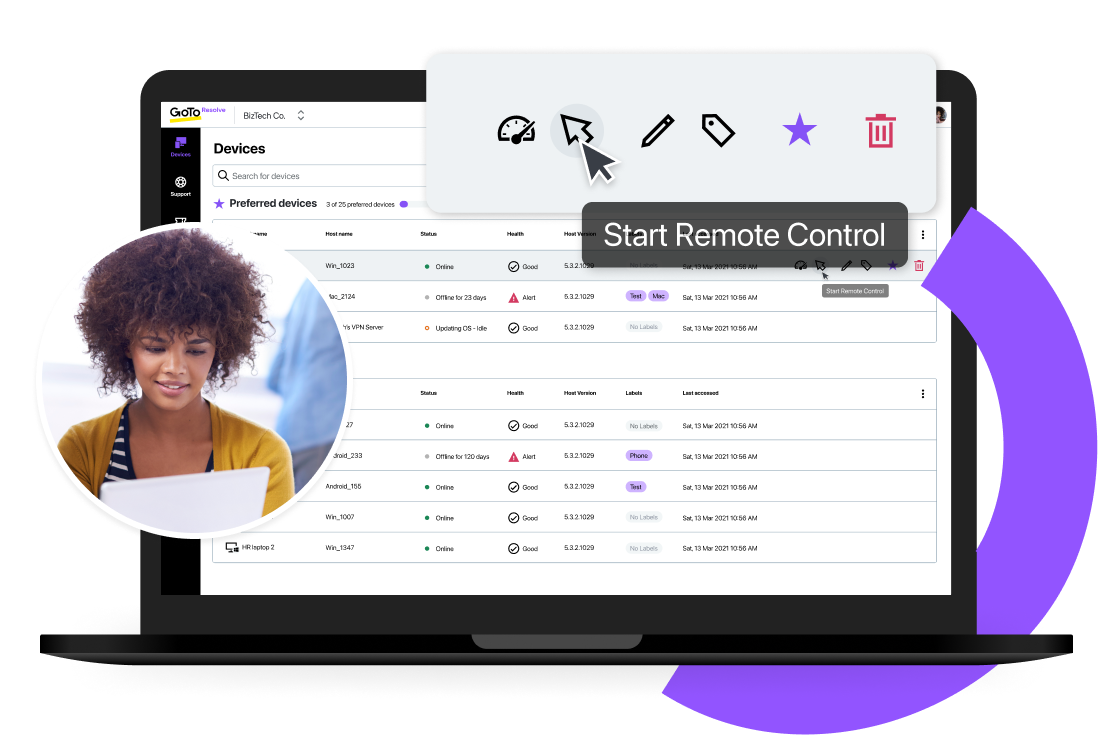
GoTo Resolve’s remote control feature interface within the desktop application.

What are some common methods of remote access?

Let’s dig into the technologies that make remote access possible. There are three typically used types of remote access:

Man using GoTo Resolve’s remote control feature to provide remote support to an end-user.

What are some common types of remote access connections?

GoTo Resolve’s secure ways to setup remote access connections.

Top remote access benefits for businesses

Any size business will benefit from having remote access capability. Here are half a dozen of the many benefits:
IT professional using GoTo Resolve remote access to support remote users and teams.
1. Streamlined IT troubleshooting and support
With remote access capability, IT support teams can easily access, manage, and troubleshoot remote user devices without sending technicians onsite, which is prohibitively expensive and labor-intensive for any IT team. By having remote access, an IT professional can quickly and efficiently resolve many more IT issues remotely. As more IT teams support more remote users, remote access becomes the bridge to IT’s operational efficiency and the operational success of the overall business.
Man using GoTo Resolve’s remote control feature to for a secure hybrid remote work experience.
2. Enhanced flexibility and productivity for businesses and employees
Remote access is mission-critical for modern businesses and people alike because it enables location-agnosticism and flexibility. People can work and do everything else from anywhere, from any device, and businesses can do business with, and support, them via secure remote access. There’d be no remote or hybrid work without remote control desktop, because an inability to access business resources remotely means an inability to work remotely.
Man using GoTo Resolve’s remote access features as means of secure IT team management.
3. Improved access to business resources from anywhere with greater security
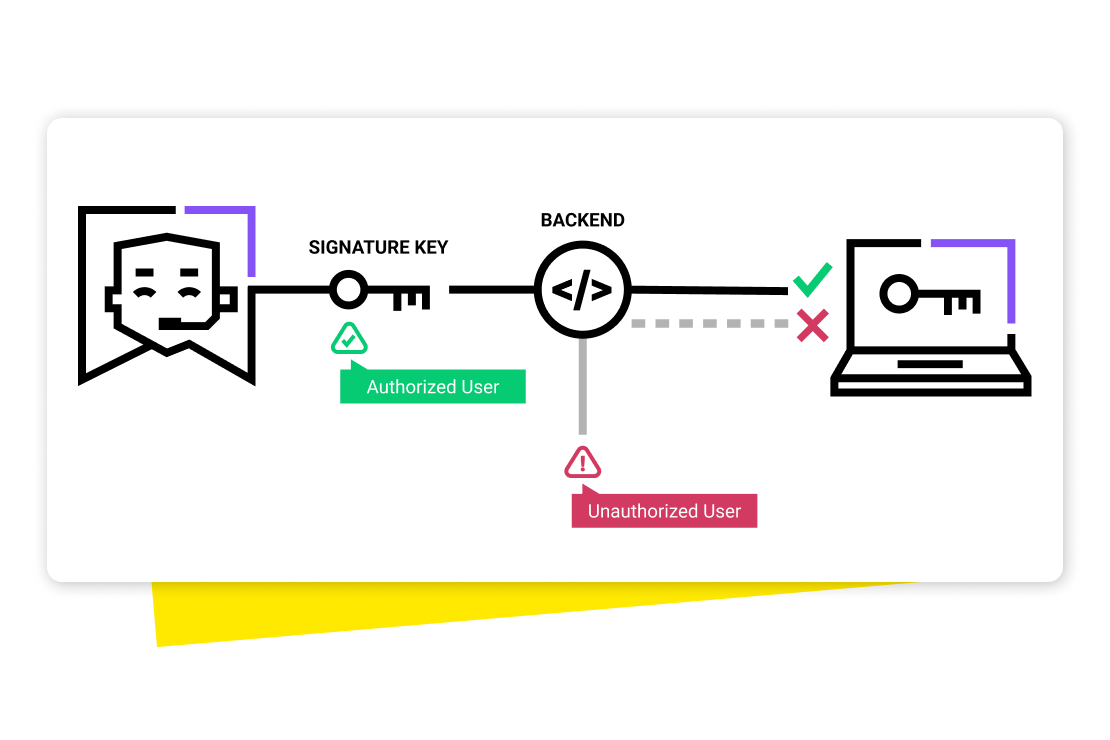
Security and compliance efforts are always top priorities for IT teams, especially as cyberthreats grow in volume and sophistication. Having remote access with best-in-class security features, such as LogMeIn Resolve’s zero trust security, is therefore a key component of IT’s operational success, because privacy and compliance are mission-critical.
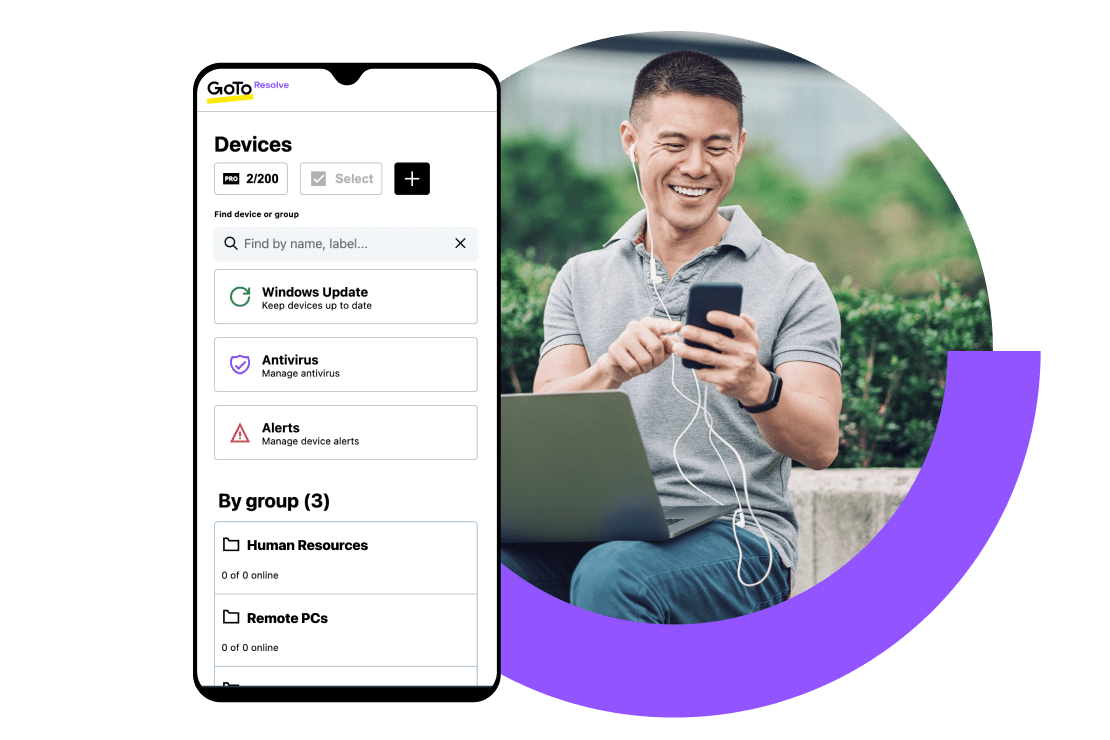
Woman using GoTo Resolve’s remote access features on mobile for flexible remote support at home.
4. Facilitating remote work and telecommuting
Employees, including IT support staff, can work flexibly from anywhere. In fact, keeping your IT people working flexibly and efficiently is essential for success. With secure remote access tools, your IT support reps can easily open remote sessions and troubleshoot on the go from their mobile phones. By giving your IT team the right tools, such as remote access, you give them the flexibility they need to do high-quality work from anywhere on any device, which helps drive their (and your) success. In turn, remote access tools let your IT people solve user IT problems so your entire workforce can get back to business.

Understanding remote access security

Detailed statistics on GoTo Resolve’s secure platform.

Importance of securing remote access connections

Man using GoTo Resolve’s remote control feature to securely work from home.

Common security risks and threats

Team using GoTo Resolve’s remote access functionality.

What are some best practices for securing remote access?

GoTo Resolve's security checkpoints.

What are best practices for implementing and managing remote access?

Let’s look at the top remote access best practices that can help you optimize the technology for your organization:
Provide Remote Access Training and Guidelines

Simply by reading this guide, you’re already way ahead of most IT people in understanding how remote access works. Like any technology, remote access must be widely adopted and learned by your people to gain its maximum benefits. It is the role of the organization and its leadership team to make necessary investments in training and ensuring that people are using remote access efficiently. 


You can’t just introduce remote access without training and guidelines to ensure it’s been used well (see below for more on this).

Monitor and Audit Remote Access Activities

Once training and guidelines are in place, you’re far from finished. You’ll need to measure and monitor how your people are actually using their remote access capabilities. Any missteps, especially around security, can sacrifice the benefits. Set up structures to monitor and review how your people are using remote access and make any necessary adjustments in training or guidelines based on this incoming performance data.


By the way, tools like remote access with LogMeIn Resolve give administrators easy access to this kind of performance data.

Conduct Regular Security Assessments

Security will always be a top priority when it comes to remote access capabilities. By having the remote access security features we described in detail above, especially zero trust security, you’re in a better position to avoid and mitigate potential security threats.


Just as security is a special focus of your training efforts and guidelines around remote access, it should also be an independent focus of your performance monitoring efforts. Set up structured security audits, analyze the results, and make necessary adjustments. Lather, rinse, and repeat.

Develop Remote Access Policies

It’s important to be intentional about how your people use remote access capabilities. Your organization should develop a formalized approach in writing to remote access, describing exactly who can do what and when as well as detailing who can see what information/data and for what purposes. Share this policy with your people, train them on it, and when you make necessary policy adjustments, update your training and communications too.

How important is remote access for small and midsize businesses in particular?

Man using GoTo Resolve’s remote access features on mobile for flexible remote support anywhere, anytime.

The bottom line on remote access

View of GoTo Resolve’s remote access dashboard.